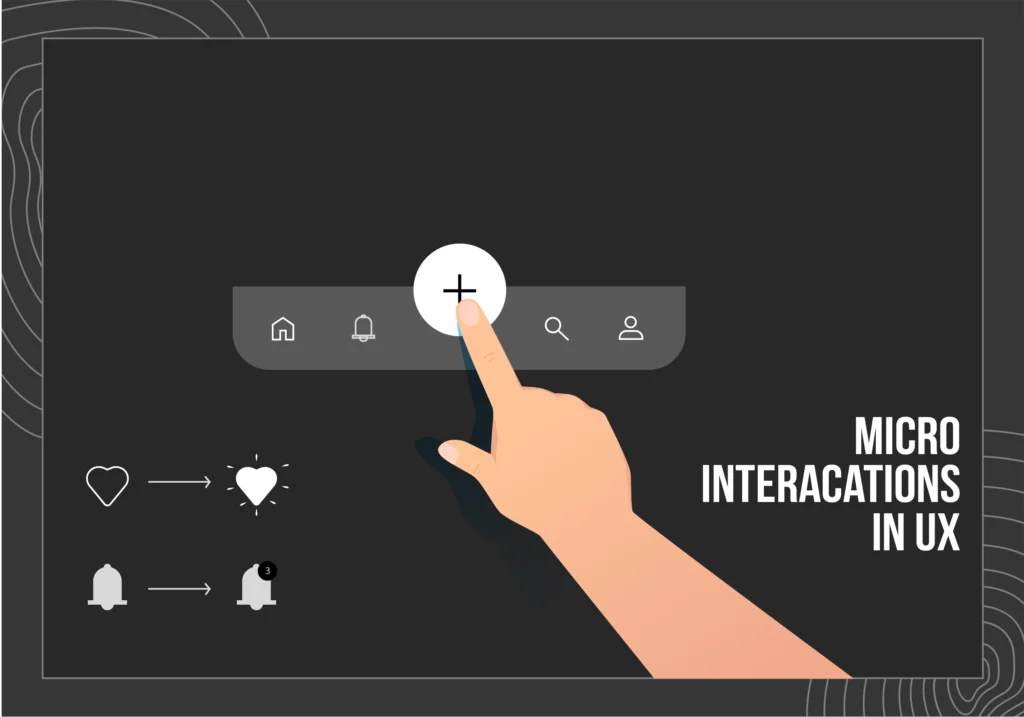
Microinteractions: Enhancing User Delight in Digital Design
In the world of digital design, the focus has traditionally been on large-scale user interactions: navigation, features, and overall functionality. However, there’s a hidden element that can significantly enhance the user experience without demanding much attention—the subtle art of microinteractions. These tiny, yet impactful details are what make an interface feel alive, intuitive, and engaging. From the bounce of a button to the satisfying animation when you check a task off a list, microinteractions contribute to delighting users in ways that often go unnoticed but leave lasting impressions.
What Are Microinteractions?
Microinteractions refer to the small, often imperceptible design elements that occur when users engage with an interface. These interactions are the tiny moments where the user gets feedback, guidance, or reassurance from the system. Microinteractions are everywhere—whether it’s a hover effect, a notification, or the animation when clicking a button. They serve the purpose of enhancing usability, providing visual cues, and adding emotional value to the experience.
The Importance of Microinteractions in UX Design
1. Improved User Engagement
Microinteractions make interfaces feel more responsive and interactive. For example, when a user clicks on a button and it changes color or animates in some way, it confirms that their action has been recognized. These subtle cues not only reassure users that the system is working but also keep them engaged with the interface.
2. Feedback and Guidance
User actions often require feedback, whether it’s positive or negative. Microinteractions provide immediate responses, like a “success” animation when a form is submitted, or a small shake of an input box when there’s an error. These signals guide users through the experience and help them understand how to navigate and interact with the system effectively.
3. Emotional Impact
Microinteractions can also evoke emotions in users. Think of the satisfying “like” animation on social media platforms or the subtle sound when you unlock your phone. These moments can enhance the overall experience by making users feel positive emotions like joy, satisfaction, or delight. Emotional impact plays a crucial role in turning an average interaction into a memorable one.
4. Streamlined User Experience
Microinteractions, though small, contribute to the overall flow of an interface. They help reduce cognitive load by making the system more intuitive. For example, a loading indicator tells the user that the system is processing a request. When done well, these microinteractions keep users informed without causing unnecessary distractions.
Types of Microinteractions
1. Triggers
Triggers initiate the microinteraction. They are the user’s action that prompts the system to react. This could be something as simple as clicking a button, swiping on a screen, or hovering over an element.
2. Rules
Rules define what happens once the trigger is activated. They are the logic behind the interaction, determining how the system should respond. For example, a hover effect might cause a button to change color or a message to appear.
3. Feedback
Feedback is the system’s response to the user’s action. It confirms that something has happened and helps the user understand the outcome. This can take the form of a visual cue, sound, or even haptic feedback, like the vibration felt when pressing a button on a mobile device.
4. Loops and Modes
Loops are repeated microinteractions, such as a notification that keeps appearing until it’s addressed. Modes change the state of the system to accommodate different contexts, like switching between light and dark mode or adjusting volume.
Best Practices for Designing Microinteractions
1. Be Subtle and Purposeful
While microinteractions can enhance the user experience, it’s important not to overdo it. Too many flashy animations or sounds can overwhelm users. The key is to make them subtle and purposeful, ensuring they serve the goal of providing feedback or guiding users.
2. Maintain Consistency
Consistency is vital to creating a smooth user experience. Microinteractions should follow a consistent design pattern throughout the app or website. If the feedback for a user action is a color change in one area, it should be similar in others, so users know what to expect.
3. Keep Them Quick
Microinteractions should be quick and not interrupt the user’s flow. They should happen almost instantly after the trigger and never cause long delays. A fast response keeps users engaged without causing frustration.
4. Focus on Accessibility
Make sure your microinteractions are accessible to everyone, including those with disabilities. Consider color contrast, sound effects, and the inclusion of alternative text for visually impaired users. Accessibility should never be an afterthought in the design process.
Examples of Effective Microinteractions
- Like Buttons: When a user clicks “like” on social media, the animation that follows is a perfect example of a delightful microinteraction. It reinforces the action and adds a touch of personality to the platform.
- Progress Bars: When you upload a file or perform an action that takes time, the progress bar’s animation is a crucial microinteraction. It informs users about the status and alleviates any anxiety about waiting.
- Loading Indicators: A simple loading spinner or a creative animation (like the “bounce” effect) provides immediate feedback, indicating that content is being loaded and the system is working.
- Notifications: A small notification that pops up or slides in with an icon and a brief message lets users know they’ve received a message, an alert, or an update, keeping them informed without disrupting their workflow.
The Future of Microinteractions
As technology continues to evolve, microinteractions will only become more sophisticated. With advancements in AI, haptic feedback, and augmented reality (AR), microinteractions will play an even more integral role in shaping how users interact with digital environments. Designers will have more opportunities to craft delightful experiences that connect with users on a deeper level.
Conclusion
Microinteractions may seem small in the grand scheme of digital design, but their impact is immense. These tiny moments enhance usability, provide feedback, and evoke emotions, ultimately creating a more delightful and memorable user experience. By paying attention to the details and thoughtfully integrating microinteractions, designers can transform an average interface into something that users will truly enjoy interacting with. In the world of digital design, it’s the little things that make all the difference.