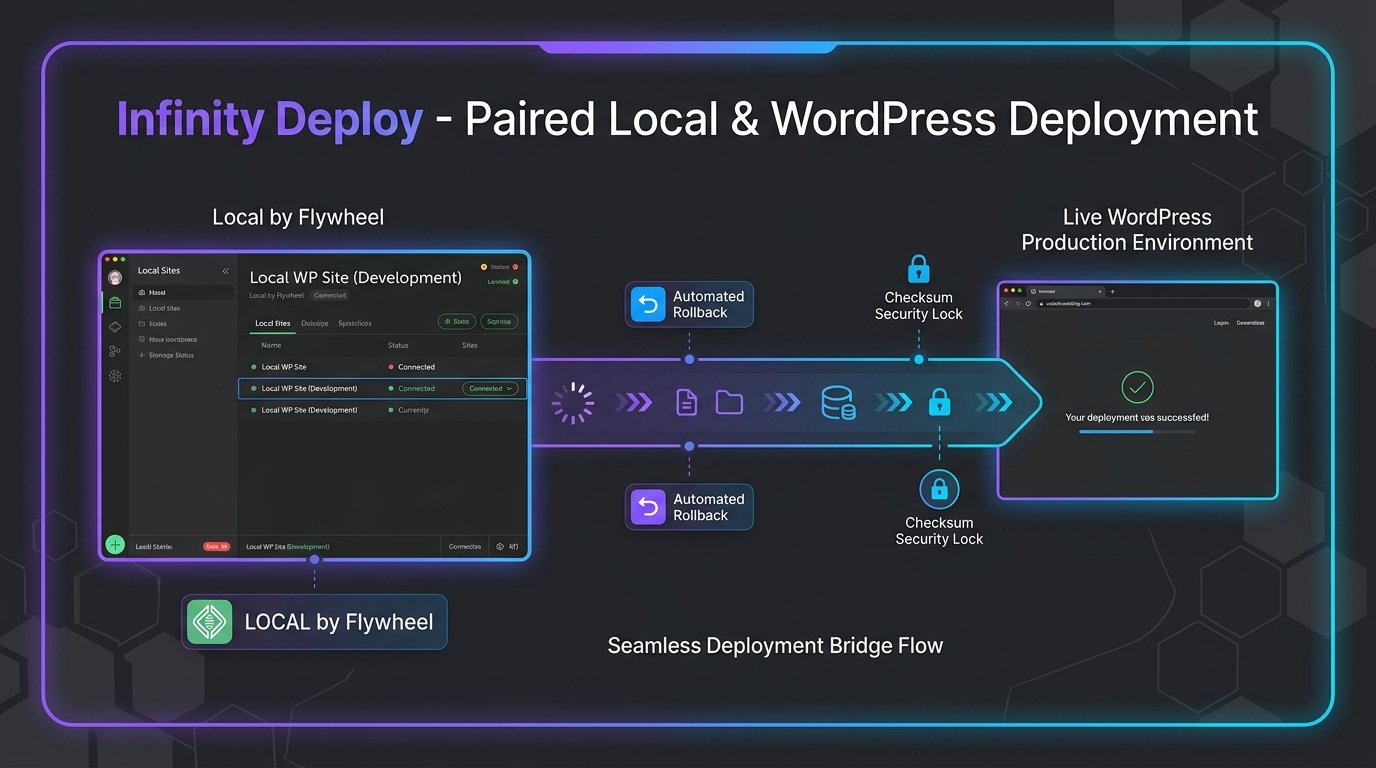
Infinity Deploy is a paired deployment system for Local and remote WordPress installations. It combines a Local desktop add-on with an authenticated WordPress bridge, giving administrators one place to test connections, compare selected content, deploy themes, and manage complete site migrations.
The product was designed around deliberate actions, visible safeguards, and recoverability. Selective workflows support portfolio content and media, while full migrations can include the database, uploads, plugins, and themes with URL and filesystem-path replacement.
Problem and context
Moving WordPress work between a Local development environment and production often requires several disconnected tools, manual packaging, and risky database search-and-replace steps. The workflow needed clearer safeguards, predictable scope, and recovery options.
Target users
WordPress designers, developers, and site administrators who build locally and need a controlled way to publish themes, selected portfolio content, media, or a complete site.
Research and constraints
The system must work through authenticated WordPress REST endpoints, preserve serialized WordPress data during migrations, enforce deployment allowlists, reject unsafe archive paths, and remain recoverable when a deployment fails. Live connections require HTTPS and dedicated WordPress Application Passwords.
Solution and decisions
A two-part architecture separates the Local desktop workflow from the WordPress deployment bridge. The interface groups selective deployment, full migration, rollback, and safety snapshots into explicit actions. Packages are validated before import, themes are backed up before activation, and complete Live pushes require a database snapshot.